Free Online Drawing Tool
Runs in your browserDraw, sketch, and paint right in your browser. 14 pressure-aware brushes, eraser, smudge, blur, bucket fill, shapes, text, 4-way symmetry, transparent canvas, and one-click PNG export. Works with Apple Pencil, Wacom, mouse, trackpad, or touch — no install, no signup, no watermark.
See it in action
Pick a brush, choose a color, and draw. Pressure-aware strokes, real-time smoothing, and GPU-accelerated rendering at 60fps.

Draw with any brush preset. Pressure controls width and opacity. The stabilizer smooths shaky hands automatically.
14 brushes that feel real
From crisp ink lines to messy oil paint — every brush responds to pressure, tilt, and speed. Pick one that matches your mood.
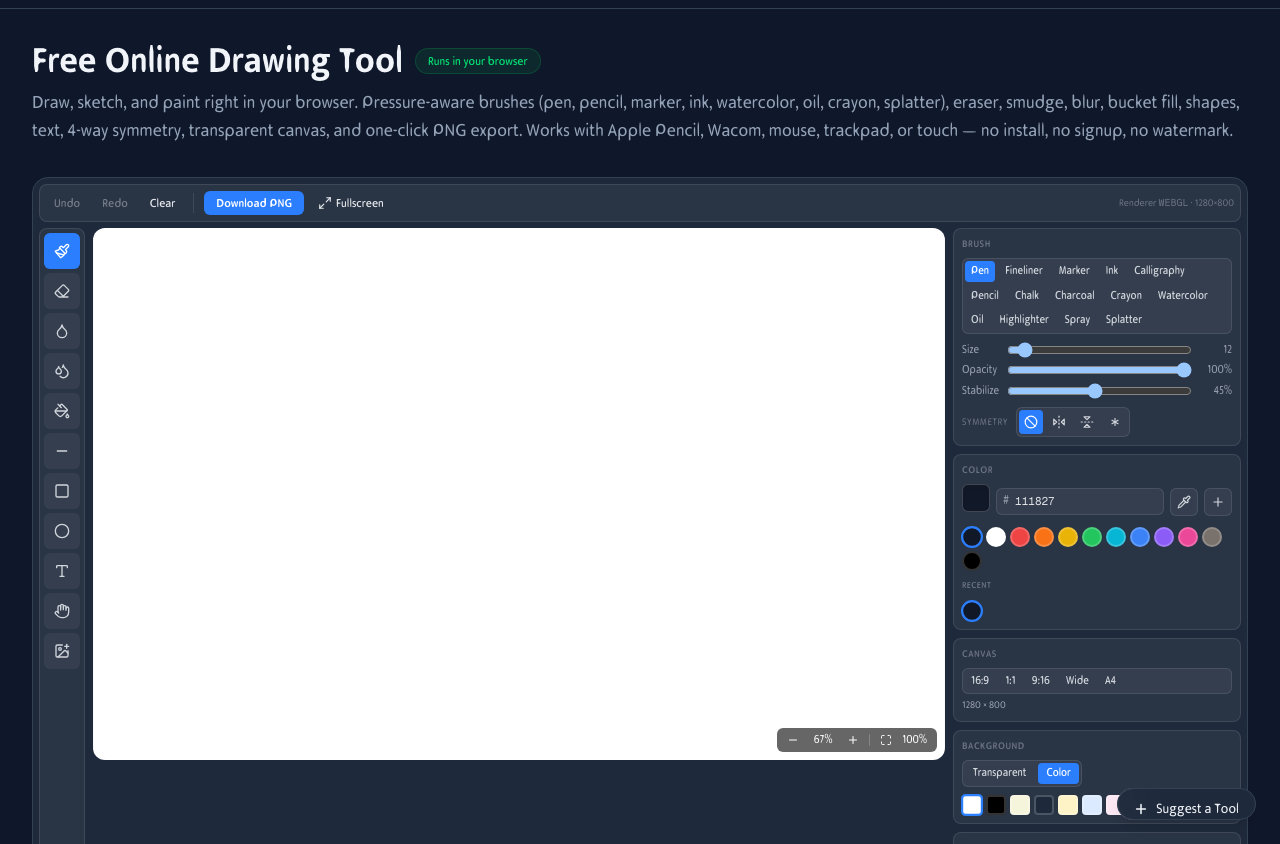
Full drawing canvas with brush presets, color picker, stabilizer, and symmetry controls. Works with any input — stylus, mouse, or finger.
Precision tools
Pen, Fineliner, Marker, Ink, Calligraphy — crisp lines with pressure-sensitive width. Perfect for line art and lettering.
Expressive brushes
Pencil, Chalk, Charcoal, Crayon — textured strokes that feel like traditional media. Great for sketching and shading.
Paint & effects
Watercolor, Oil, Highlighter, Spray, Splatter — wet and dry effects for expressive painting and mixed media.
Tools that go beyond brushes
Bucket fill, blur, smudge, shapes, text, and symmetry — everything you need for a complete digital painting workflow.
Bucket fill
Flood-fill connected pixels with adjustable tolerance. Great for flat coloring and backgrounds.
Blur & smudge
Blur softens areas. Smudge pushes pigment like a wet finger. Both work as brushes you paint with.
Shapes & text
Rectangles, circles, lines, and free text. Add structure and annotations to your drawings.
4-way symmetry
Toggle symmetry and every stroke mirrors across both axes. Instant mandalas and kaleidoscope patterns.
Sketch anywhere
Draw on your iPad with Apple Pencil, on your phone with your finger, or on your laptop with a mouse. The canvas adapts to any screen.
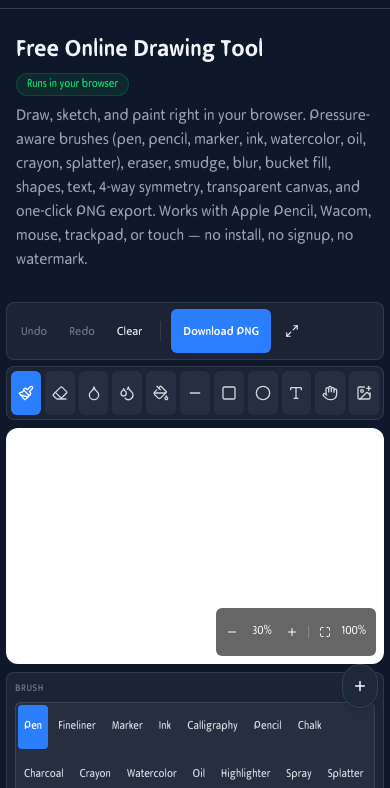
Drawing on mobile. Full brush set, colors, and export from your phone.
How It Works
Pick a brush, color, and size
Choose from 14 brush presets — Pen, Fineliner, Marker, Ink, Calligraphy, Pencil, Chalk, Charcoal, Crayon, Watercolor, Oil, Highlighter, Spray, Splatter. Pick any color, paste a hex code, or grab a pixel from anywhere on screen.
Draw with any pointer
Mouse, trackpad, finger, or stylus — Apple Pencil, Wacom, Surface Pen, Huion, all supported. Pressure controls width and opacity. Turn on the stabilizer for smooth curves.
Reach for raster-only tools
Bucket fill flood-fills connected pixels. Blur softens an area. Smudge pushes pigment around. Alt-click to grab any color from the canvas.
Start from a photo
Drag and drop or paste any image — PNG, JPG, WebP, GIF — and paint on top. Eraser strokes punch real transparent holes.
Pan, zoom, undo
Two-finger pinch or mousewheel zoom. Hold space to pan. 25-step undo so experimentation is risk-free.
Download PNG or send to AI
Export a PNG with optional transparent background. Or hand the canvas to AI Restyle, Background Remover, Object Remover, and more in one click.
Frequently Asked Questions
Is this really free?
Yes. No sign-up, no account, no watermark, no paywalled brushes, no upload. Every feature is free forever and runs in your browser tab.
Do I need to install anything?
No. Just open the page and start drawing. Works on Chrome, Edge, Safari, Firefox, and Brave. Add it to your home screen on iPad or Android for a native app feel.
Can I draw with an Apple Pencil or Wacom?
Yes. Pen pressure, tilt, and barrel buttons are read via Pointer Events. Apple Pencil, Wacom Intuos/Cintiq, Surface Pen, Huion, and XP-Pen all work out of the box.
Can I draw with just a mouse?
Yes. When there's no pressure signal, the brush uses your chosen Size as constant width. Turn on the stabilizer for clean curves with a mouse.
Can I download with a transparent background?
Yes. Set the canvas background to Transparent before exporting and the PNG saves with a clean alpha channel — perfect for stickers, logos, and overlays.
What canvas size is supported?
Default is 1280×800 with presets for 1:1 (1080×1080), 9:16 (1080×1920), Wide (1920×800), and A4 (1240×1754). Rendered at your display's pixel ratio for crisp strokes on Retina and 4K.
Is this a vector tool?
No — this is pure raster. Every stroke bakes into pixels. That makes it work like a proper paint program (blur, smudge, bucket-fill freely), but pick your canvas size before starting.
Can I draw mandalas or symmetrical patterns?
Yes. Toggle 4-way symmetry and every stroke is automatically mirrored across both axes — instant mandalas, kaleidoscopes, and seamless tile patterns.
Does it use my GPU?
Yes. Pixi.js v8 uses WebGPU when available and falls back to WebGL2. Strokes are drawn as GPU-accelerated meshes using perfect-freehand for variable-width geometry.
Where are my drawings stored?
Nothing is uploaded. Your drawing lives only in your browser tab. Download a PNG or SVG to keep a copy. We can't see your art.
Can I use it offline?
After the first load, the page and assets are cached, so most browsers let you draw without an internet connection.
Is this a Photoshop alternative?
It's a free, browser-based raster painter for sketching, doodling, concept work, and quick mock-ups. For deep feature sets, Procreate and Photoshop have more. But for fast, no-install drawing — this is built for that.
Can I send my drawing to AI tools?
Yes — with one click your canvas goes to Restyle, Background Remover, Object Remover, Upscaler, OCR, Filters, or Crop. Each opens in a new tab.
What file types can I import?
PNG, JPG, WebP, GIF, BMP. The image becomes a background you can draw on top of, erase, or use as a tracing reference.
Is this safe for kids?
Yes. No chat, no sign-up, no community feed, no ads, and no AI-generated NSFW content — just a drawing canvas.