Sticker Generator
Server-poweredGenerate stickers with AI or upload your own image. Get transparent PNG and scalable SVG. Two modes: AI generation from text prompts, or upload and auto-process.
Try an example:
What you can create
Generate AI stickers or turn your own images into scalable vectors. Here is what people make:
Chat stickers
Custom stickers for WhatsApp, Telegram, and iMessage. Upload your own art or generate with AI.
Product labels
Create branded labels, seals, and badges for packaging. SVG output scales perfectly for any print size.
Laptop decals
Design custom laptop stickers and decals. Print from the SVG for crisp edges at any size.
Custom emojis
Turn photos or AI-generated art into custom emoji-style stickers for Discord, Slack, and social platforms.
Logo stickers
Convert logos into sticker format with transparent background. Great for brand merch and promotional giveaways.
Event badges
Create event stickers, camp badges, and team patches. Generate with AI or upload custom artwork.
See it in action
Type a prompt, click Generate, and the AI creates a sticker-style image with clean outlines and flat colors. Download as PNG or SVG.

An AI-generated sticker from the prompt "cute cat sticker." Download as transparent PNG or scalable SVG vector.
Two ways to make stickers
Generate from a text prompt with AI, or upload an existing image and convert it into a sticker automatically.
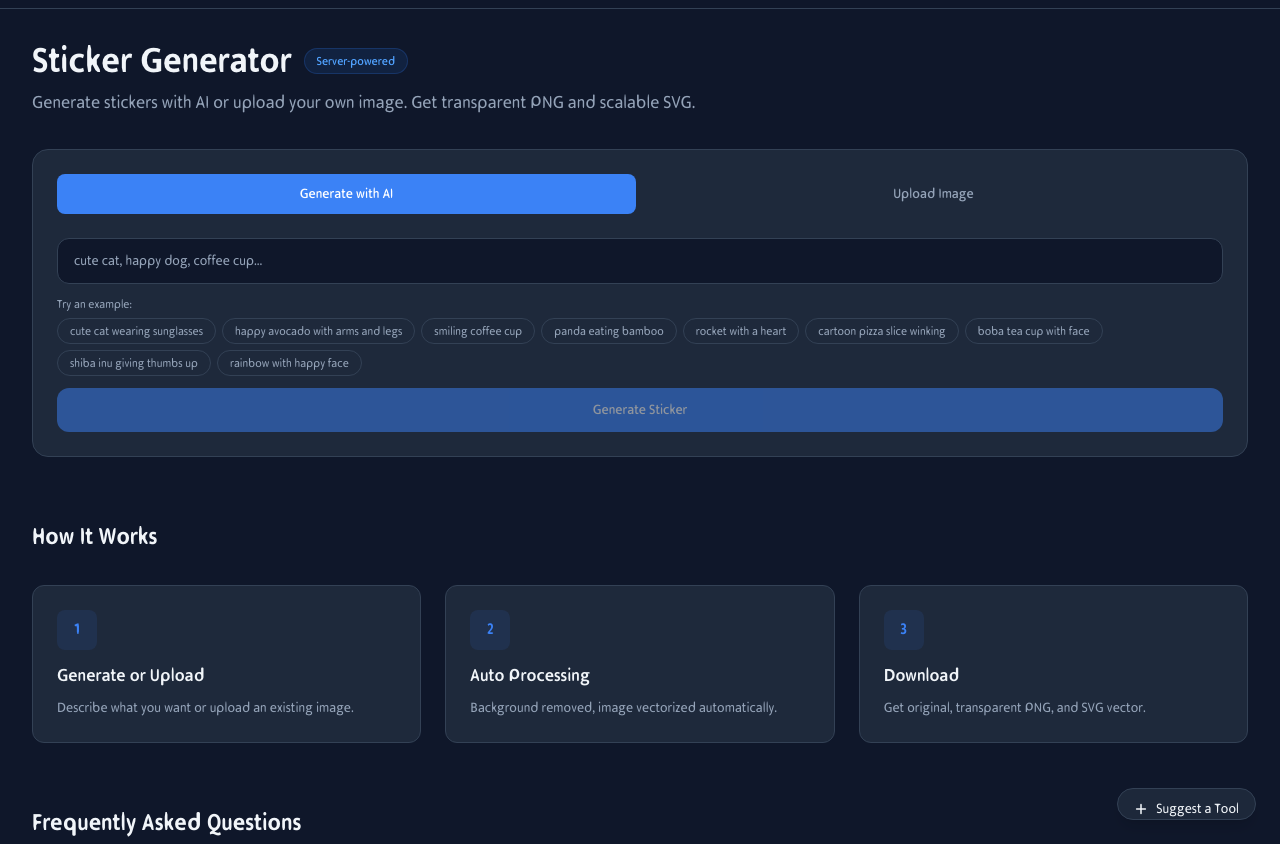
AI Generate mode: type a prompt, pick from example suggestions, and click Generate Sticker. Upload mode: drop any image for automatic background removal and vectorization.
AI Generate
Type a description like "cute cat wearing sunglasses" and FLUX generates a sticker-style image with clean outlines and flat colors.
Upload & Convert
Drop any image and the tool removes the background, traces the outline, and produces a transparent PNG plus SVG vector.
SVG vector output
Every sticker comes with an SVG vector file. Unlike PNGs, SVGs scale to any size without pixelation — perfect for printing, large displays, and professional design workflows.
Infinite scaling
Print at business card size or billboard size — the edges stay crisp.
Editable paths
Open in Illustrator, Figma, or Inkscape. Edit colors, shapes, and add text.
Small file size
SVGs are code-based, so they are typically smaller than high-res PNGs.
Works on your phone
Generate stickers from your phone or upload photos from your camera roll. The entire tool is responsive and works without an app install.
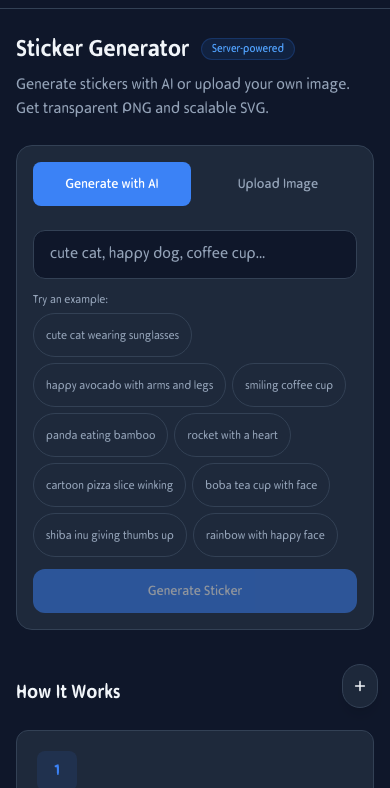
Sticker generation on mobile. Type a prompt and generate stickers from anywhere.
How It Works
Generate or Upload
Describe what you want and the AI generates a sticker, or upload an existing image.
Auto Processing
Background is removed, image is vectorized, and a clean sticker-style output is produced automatically.
Download
Get the original render, a transparent PNG, and an SVG vector — all in one click.
Frequently Asked Questions
How does AI generation work?
Describe what you want (e.g., 'cute cat', 'coffee cup') and the AI generates a sticker-style image with clean outlines and flat colors using FLUX 2 Klein 4B.
Can I use my own images?
Yes. Switch to Upload mode and drop any image. The background will be removed automatically and the image will be vectorized into an SVG.
What background colors can be removed?
White (default), green screen, blue screen, or any custom color you pick. Adjust tolerance for better results.
What's the SVG for?
SVG is a vector format that scales to any size without losing quality. Great for printing, large displays, or editing in design tools like Illustrator and Figma.
Can I use generated stickers commercially?
Yes. Every sticker you create is yours to use for personal or commercial projects — products, marketing, merchandise, whatever you need.
Do stickers have watermarks?
No. The output is a clean PNG with no logo, no text overlay, and no hidden metadata watermark.
What's the maximum file size for uploads?
Images up to about 20 MB are accepted. The tool resizes large uploads before processing to ensure fast vectorization.
Does it work on mobile?
Yes. Generate stickers from your phone or upload photos from your camera roll. The entire tool is responsive.