Image Filters & Effects
Runs in your browserApply professional VFX, color grading, and LUTs to your photos. 25 preset effects + 13 free curated LUTs, or upload your own .cube file. All in your browser — no upload, no watermark.
Add an imageDrop your image here or click to browse
JPG, PNG, WebP — 100% browser-based, nothing uploaded
or drag and drop, or paste an image
Your photo, your style
Upload any photo and browse 25+ effects instantly. From moody cinematic grades to playful vintage looks — every filter runs at 60fps on your GPU.
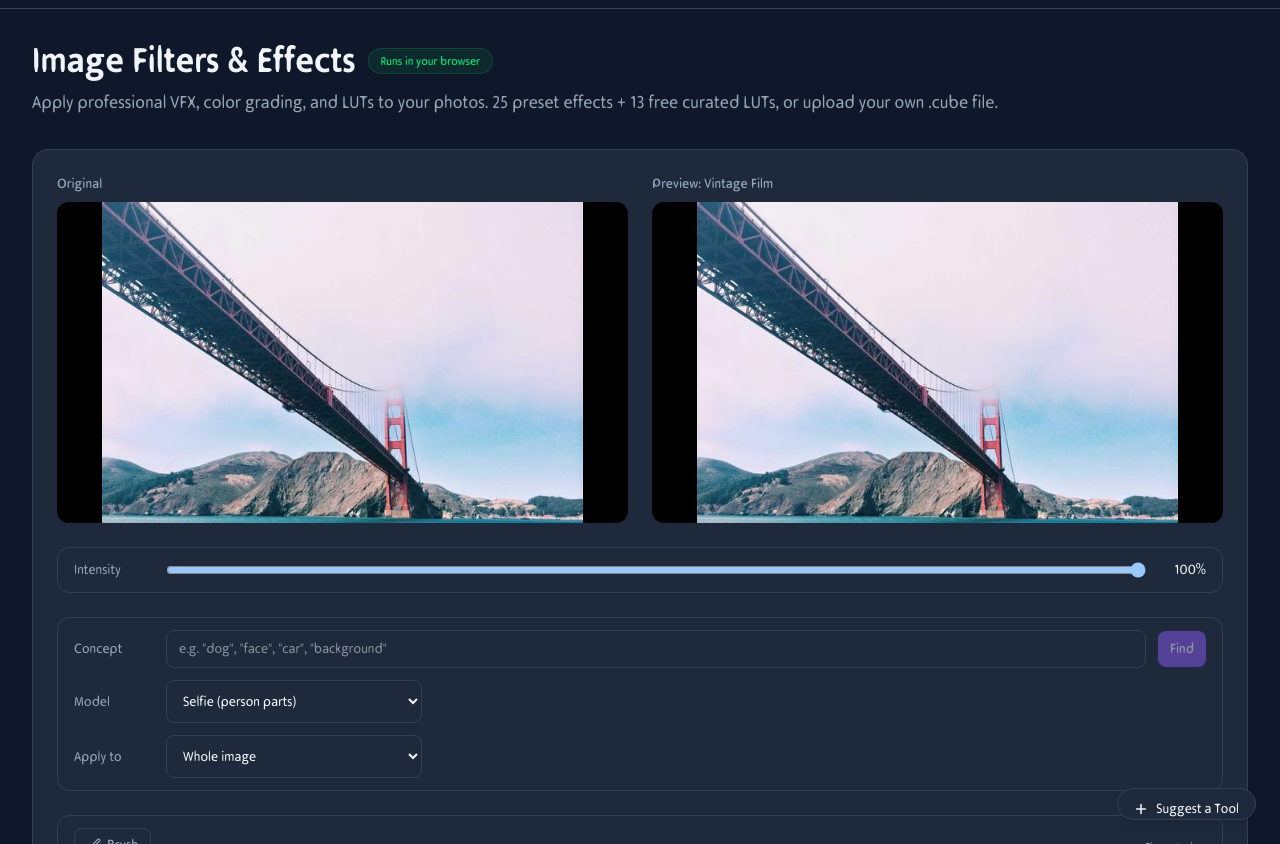
Upload a photo and browse the filter grid. Click any preset to preview instantly. Adjust intensity with the slider, then download.
25+ effects across 4 categories
Whether you want a quick color pop or a full cinematic grade, there is an effect for every mood.
Visual Effects
Pixel art, vintage, vignette, sharpen, blur, negative, mirror. Transform the look instantly.
Distortion Effects
Glitch, film grain, chromatic aberration, VHS, scanlines. Add texture and analog character.
Color Grading
Teal/orange, moody, bright, B&W, sepia, warm, cool, faded. Pro looks in one click.
LUTs (.cube)
13 free curated LUTs plus your own uploads. Identical color science to Resolve, Premiere, Lightroom.
Why use LUTs on photos
LUTs (.cube files) are the same file format colorists use to grade feature films, episodic TV, and high-end commercials. Applying one to a still photo gives you the exact same color transform — frame-locked, render-deterministic, portable between tools.
For a portrait series, picking one LUT and reapplying it to every shot enforces a consistent look without per-image grading. For social media, a teal/orange or moody noir LUT can take a flat smartphone snap and make it look intentional. For product photography, a clean Rec.709 LUT applied on top of a log JPEG export gives you a clean white balance starting point.
All 13 curated LUTs we ship are MIT-licensed and procedurally generated — use them in commercial work without attribution.
Face-aware filters
Three presets in the Face tab use MediaPipe's Selfie segmenter to mask the filter to a specific region:
- Face Blur — anonymizes a subject by heavy-blurring just the face. Useful for press photos, screenshots that need a face hidden, or anonymized portraits.
- Beauty — applies a subtle soft blur to skin, smoothing texture without affecting eyes, hair, or clothes.
- Spotlight — desaturates the background to B&W while keeping the subject in full color. Stronger than vignette for drawing attention to a person.
All three run client-side after the model downloads (~2MB, cached). Switch to the Scene model for object-aware masking (animals, vehicles, plants, furniture) using DeepLabV3.
See the transformations
Same photo, completely different moods. Click any filter and the result updates instantly — no waiting, no server round-trip.

Vintage — warm tones, faded highlights, nostalgic film look

Glitch — chromatic aberration, scanlines, digital decay

Black & White — high contrast monochrome with rich tonal range

Teal/Orange — cinematic grade, cool shadows, warm highlights

Sepia — warm brown tones, old photograph aesthetic

Moody — darkened shadows, muted palette, dramatic atmosphere
Filters on the go
Upload photos from your camera roll, apply filters, and download — all from your phone. No app install needed.
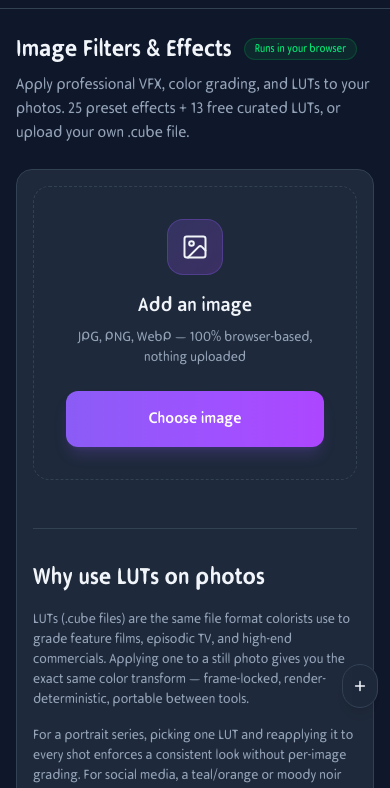
Apply filters on mobile. Upload, browse presets, and download from your phone.
How It Works
Upload Your Image
Drag and drop or browse. JPG, PNG, WebP supported. Your photo stays on your device.
Pick an Effect or LUT
Choose from 25 presets, 13 curated LUTs, or upload your own .cube file. Adjust intensity to taste.
Download
Get your filtered photo in PNG or JPEG. No watermarks, no quality loss.
Frequently Asked Questions
What's a LUT and why use one on a photo?
A LUT (Look-Up Table) is a color recipe — for every input RGB color it specifies an output color. The same .cube file you'd apply to a video grade can be applied to a still. LUTs give consistent looks across an entire shoot and travel between Lightroom, Photoshop, Resolve, and tools like this one.
What's the difference between a filter and a LUT?
Filters are formulas (e.g. 'increase saturation 50%, add sepia'). LUTs are precomputed lookup tables that can encode much more nuanced transforms — film stock emulation, log → Rec.709 conversion, complex hue shifts. We support both in one tool so you can pick whichever is closer to the look you want.
Does it work on RAW photos?
Not directly — browsers can't decode camera RAW. Convert to JPG, PNG, or WebP first (your camera's bundled software, Lightroom, or any RAW converter does this). Once converted, drop the file in here.
How does it handle large photos?
Everything runs locally on the GPU via WebGL fragment shaders, so even 50-megapixel images filter in under a second on a modern device. Output preserves the source resolution. PNG keeps full quality and alpha; JPEG is smaller.
Can I apply a filter only to a specific part of the image?
Yes — use the Apply To selector under the filter grid. It runs MediaPipe ImageSegmenter on your photo to mask by class. Two models: Selfie (face/skin/hair/clothes/background — best for portraits) and Scene (people/animals/vehicles/plants/furniture/etc.). The filter only applies to the masked region.
What are the face-aware presets?
Face Blur, Beauty, and Spotlight automatically detect the face and apply the effect only there. Face Blur anonymizes a person; Beauty softens skin; Spotlight desaturates the background while keeping the subject in color. Powered by MediaPipe's Selfie segmenter (~2MB, downloaded once).
Where can I get free .cube LUTs?
We ship 13 free curated LUTs (teal/orange, moody noir, golden hour, pastel summer, cold neon, bleach bypass, kodachrome vibe, arctic blue, and more). For more variety, try free packs from RocketStock, IWLTBAP, LutsCC, and Lookslike — always read the license. Any .cube file ≤5MB drops right in.
How does the intensity slider work?
Intensity blends the filter output with the original. 100% is full effect; 50% is half-strength; 0% is the original photo. Cinematic LUTs often look best at 70-90% — full strength can over-saturate or crush shadows, especially on already-edited photos.
Are my photos uploaded anywhere?
No. The tool runs 100% in your browser using WebGL fragment shaders. Your photo, your uploaded LUTs, and the segmentation models all stay on your device. Nothing is sent to a server.
PNG or JPEG?
PNG: lossless, larger file, preserves transparency. Best for keeping max quality or if your input has alpha. JPEG: lossy at quality 92, much smaller. Best for sharing or web upload. The tool doesn't add a second compression pass — for repeated edits, stay on PNG.
Any watermark?
None. The output is your image with the effect applied, nothing else.
Built With Open Source
Hardware-accelerated fragment shaders for instant photo color grading and LUT sampling
Browser-side semantic segmentation for face-aware and scene-aware masking
Browser-native pixel composition and PNG/JPEG export — no server round-trip
Client-side storage for your uploaded .cube LUTs — never sent to a server